Dear NGSolve team,
I have a very elongated domain in 2D with aspect ratios of 1:50, which can be mapped to a square domain. The boundaries of this domain are slightly curved. I have been using SplineGeometry with .AddCurve and the .Curve method. A triangular mesh can be generated using .GenerateMesh, but I require very accurate solutions and I expect that a structured quad mesh is more accurate for this type of geometry, so no quad_dominated=True. I have been able to generate the (x,y) locations of the structured grid but I struggle with generating a NGSolve mesh that allows .Curve() to be called. What approach do you suggest?
I see two approaches:
-
Manual mesh generation using netgen.meshing.Mesh, creating a geometry using SplineGeometry and setting it using .SetGeometry. Then we can call .Curve(). However, using this approach it appears that all curved edges are attracted to the first added spline3 curve:
What am I doing wrong here? See also the attached MWE:
MWE_manual_curved_mesh.py (4.9 KB)
-
Creating a geometry in SplineGeometry. Then in this geometry we can add an internal “guide grid” using AppendPoint and Append line. Then we can call .GenerateMesh(maxh=…, quad_dominated=True). If the guide grid is sufficiently far from the true geometry this appears to work but feels a bit convoluted.
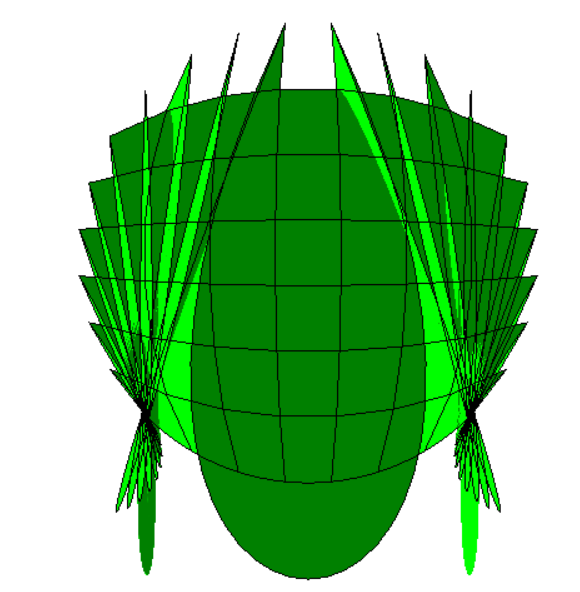
I am using NGSolve-6.2.2506. Any help or suggestions are appreciated.
It appears to be related to this question:
https://forum.ngsolve.org/t/another-question-on-manual-quad-mesh-in-2d-curved-edges/
but I cannot open the linked files.
Kind regards,
Gotya